
About GamesLeech
GamesLeech is a dedicated platform for casual player and hardcore gamers, offering a massive library of PC games, verified repacks, and essential PC software.
Our platform offers:
- Direct Links: High-speed download mirrors for a seamless experience.
- Verified Repacks: Get the latest games and softwares from verified repackers.
- Free Access: Download full-version games and software without hidden subscriptions.
- Regular Updates: Stay updated with latest version of games and softwares published on the platform.
Pro Tip: Always keep your drivers updated for the best gaming performance.
🌐 How to Change DNS to Cloudflare (1.1.1.1)
If GamesLeech or SoftwareLeech is not accessible in your region, change your DNS to Cloudflare (1.1.1.1), Google, etc, for faster and unrestricted access.
💻 On PC (Chrome)
-
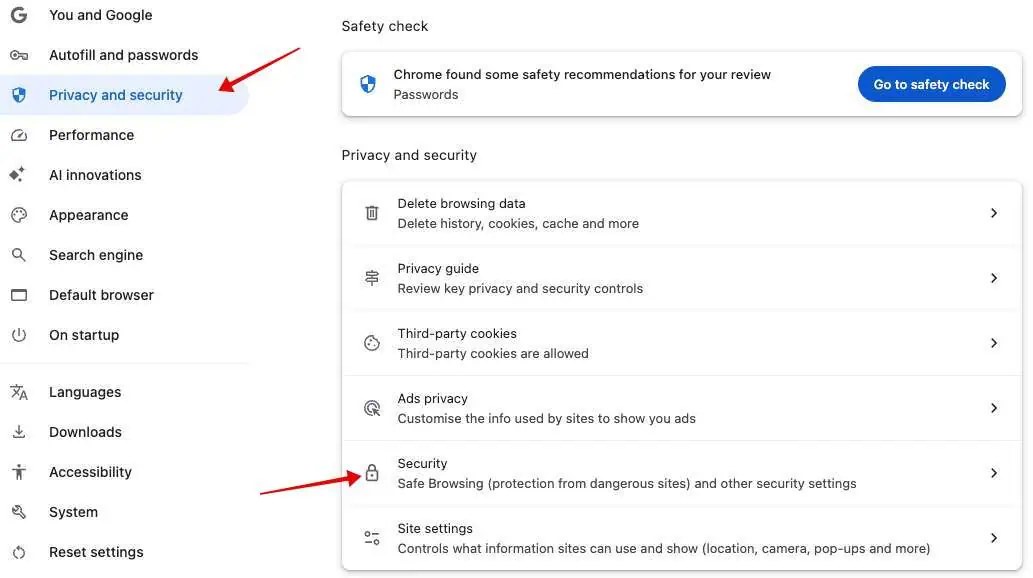
Open Chrome Settings → Privacy and Security → Security
-
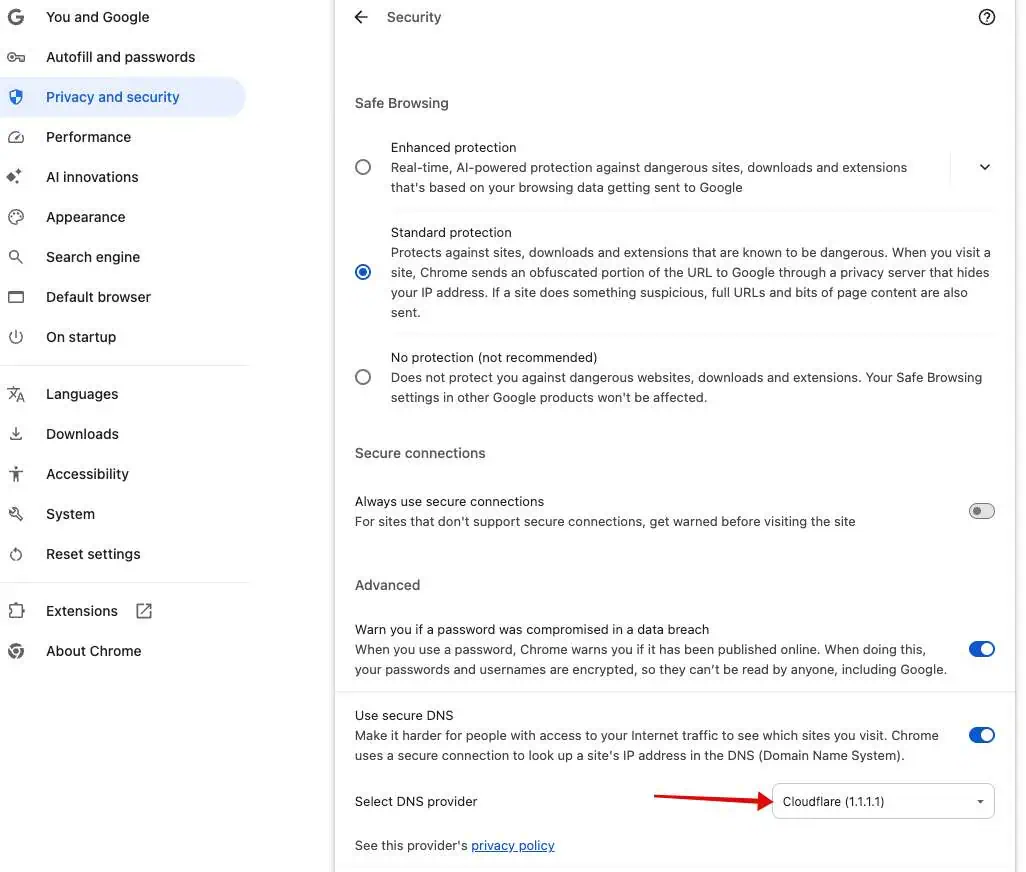
Scroll down to Advanced → Select Use secure DNS → Choose provider → Select Cloudflare (1.1.1.1)
📱 On Mobile (Chrome)
-
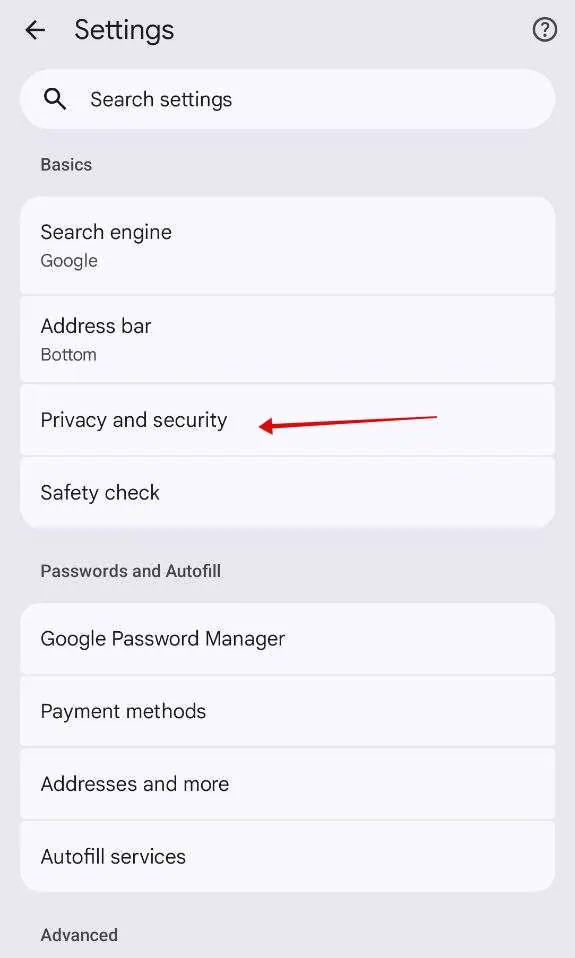
Open Chrome → Settings → Privacy and Security
-
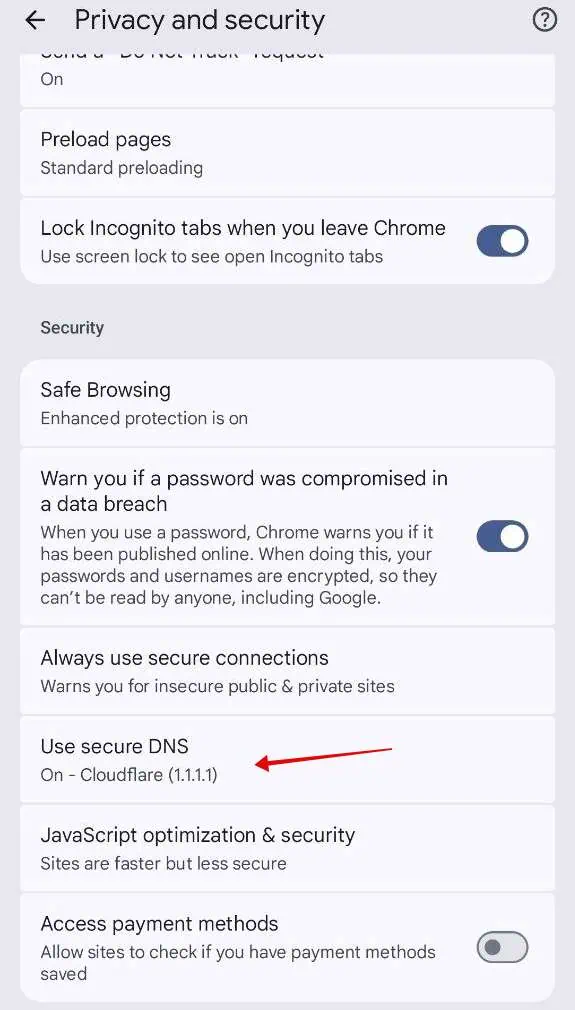
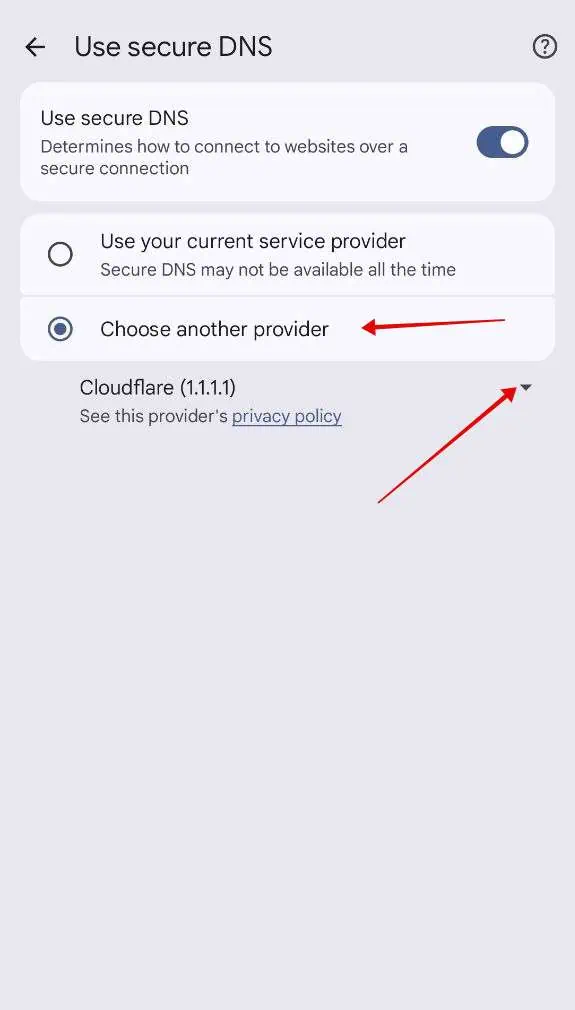
Scroll down to Security → Tap Use Secure DNS
-
Tap Choose another provider → Select Cloudflare (1.1.1.1)
Is GamesLeech Safe?
GamesLeech don’t crack or modify games. Files are sourced from trusted sources and reuploaded with faster Google Drive downloads. Full credit goes to the original creators.
GamesLeech Features
🎮 Diverse Collection
- Latest AAA titles and open-world adventures.
- Games collection for better navigation.
- Old Games for low-end PCs.
✅ Verified Repacks
- Games from FitGirl, DODI, and other top repackers.
💻 Essential PC Software
- Productivity, editing tools, and utility softwares.
How to Use from GamesLeech?
- Visit the GamesLeech Website
- Browse or search for your desired game/software.
- Choose your preferred download mirror (avoid downloading ads).
- Go through Advertisements pages to reach download page.
- Follow the installation guide for a smooth setup.
Suggestion: Use a download manager to avoid interruption.